
Shadow AI: What It Is, Why Employees Use It, and How Businesses Can Respond
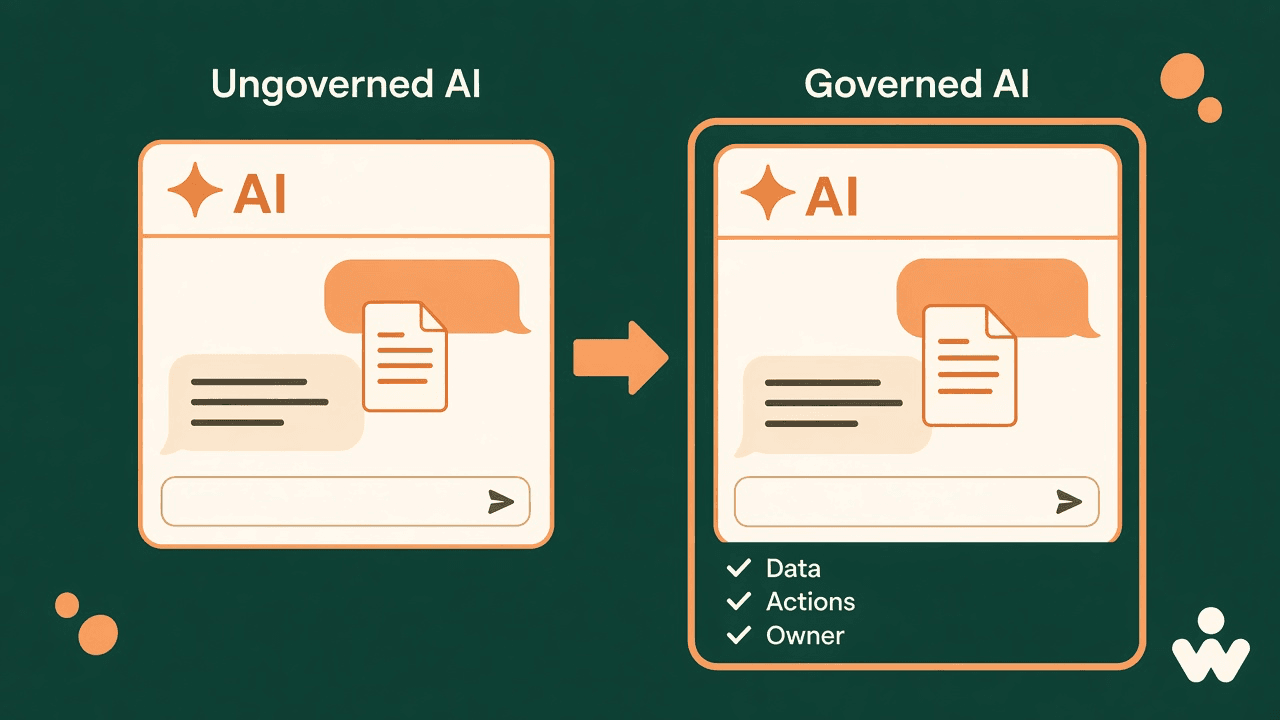
Imagine an employee pasting a supplier contract into a personal AI account to summarize the obligations. A colleague uploads meeting notes to an unreviewed summarization service. Another connects an AI assistant to a shared drive without asking IT.
These are hypothetical examples. They illustrate a concrete governance problem: work is happening through AI tools the business has not approved or assessed.
That is shadow AI. Microsoft’s enterprise guidance describes it as AI that operates without the controls the organization applies to everything else, and treats it as a control gap and a sign of unmet employee need. The response that lasts is an approved way to finish the work, with the boundary written so people can follow it.
Shadow AI is the use of AI tools, features, or agents for work outside an organization’s approval and governance.
Short answer
- Shadow AI is work done with AI the organization has not assessed, approved, or assigned an owner.
- A paid subscription or an internally built agent can still sit outside those controls.
- Reduce it with an inventory, plain data rules, approvals written for a specific workflow, limited permissions, and a named person who checks consequential results.
What is shadow AI?
Shadow AI is the use of AI tools, features, or agents for work outside an organization’s approval and governance processes. Microsoft describes two forms that share that gap. One is unsanctioned tools employees adopt on their own: personal chatbots, browser extensions, and specialized productivity tools. The other is agents deployed inside the organization that were never registered, owned, or brought under policy.
The distinction is whether the organization has assessed the use and still governs it. Free versus paid, and external versus internal, do not settle the question. A paid subscription or an internally built agent can still operate outside those controls.
For your business, a useful test is:
Can we explain which AI is being used, what information it can access, what actions it can take, and who is responsible?
If the answer is no, the tool is still shadow AI, whatever the invoice says.
Why employees turn to unapproved AI
Shadow AI often shows a gap between the work people need to finish and the approved tools available to them. Microsoft’s guidance says enforcement alone will not close it: if approved options are hard to find or hard to use, employees keep the alternative that meets the need. The durable move is to make the governed route the easier one.
Start by asking your teams:
- Which repetitive tasks are you trying to reduce?
- Are approved AI tools available and useful for those tasks?
- Do you know which information you may share?
- Is there a straightforward way to request a new tool?
Treat discovery as a chance to improve the workflow. Keep clear consequences for deliberate misuse, and make it easy to ask a question or report a mistake.
Three risks businesses should understand
1. Sharing information without knowing how it is handled
Uploading information to an AI service raises separate questions about storage, access, retention, and possible use for model improvement. “Not used for training” can still mean the prompt is stored. Provider documentation is specific to the service, the account arrangement, and the settings. Those are the documents to read.
Before approving a workflow, ask:
| Question | What you are trying to learn |
|---|---|
| What data will leave our environment? | The actual fields, files, and prompts — not the product category |
| Who can access it, and for what purposes? | The provider, subprocessors, admins, and anyone the account is shared with |
| How long is it retained, and how does deletion work? | Whether offboarding or a deletion request actually removes the copy |
| Are the arrangements suitable for this information? | Whether this class of data is allowed to leave at all |
A paid account does not automatically satisfy those questions. Assess the terms and controls for the workflow you intend to approve.
2. Trusting a polished answer without checking it
Generative AI can produce confident but incorrect content. NIST’s Generative AI Profile calls this confabulation: the system generates erroneous or false content and presents it with confidence. The same profile recommends reviewing and verifying sources and citations in generated output, during testing and after deployment. A convincing paragraph is not evidence that the claim is true.
In a hypothetical sales workflow, an assistant might add an unsupported product claim or an incorrect delivery commitment. The writing can look finished while the message is wrong.
Require a named person to check consequential outputs against reliable source material before they are used or sent. That is the same placement a human-in-the-loop design uses for work that leaves the company or cannot be undone.
3. Giving connected AI more authority than it needs
When an AI system can take actions, the review covers more than its answers. The UK NCSC’s secure-design guidance says to restrict the actions an AI component can trigger, control data sent to services outside your organization, and apply least privilege. Its agentic-AI guidance puts the same idea in operating terms: give an agent only the access it needs, for the shortest time required, and keep a way to see and contain what it does.
Consider a hypothetical email assistant. Reading selected messages, drafting a response, and sending that response are different permissions.
For an initial rollout, keep those permissions separate. Start with limited access and draft-only output. Add permission to act only after testing and approval. When the agent connects to tools the team already uses, those connections belong in the approval.
A practical framework for reducing shadow AI
1. Build a lightweight inventory
NIST’s Generative AI Profile recommends enumerating generative AI systems and incorporating them into an organizational AI inventory, including who provides human oversight.
For a first version, record the tool, business owner, purpose, account type, data involved, connected systems, and approval status. Ask teams to include experiments as well as established workflows.
Prioritize review of tools that handle sensitive information or take actions. A low-risk experiment can wait behind a high-risk connection. Once the list shows where to start, a readiness check on one workflow keeps the next conversation specific.
2. Make data rules easy to apply
Translate policy into a short decision guide people can use at the moment they would otherwise paste. Treat the table below as a starting template. It does not replace your existing data-classification rules.
| If the information is… | Then… |
|---|---|
| Already public, such as published product facts | Use an approved tool. A person still checks anything that will be sent. |
| Internal working material, such as drafts and meeting notes | Use an approved workspace only. |
| Customer data, pricing, contracts, personnel information, or credentials | Use a named workflow, with limited access and a human check before anything leaves. |
| Unclear | Do not upload it. Ask. |
3. Approve workflows, not just product names
Write approvals so a person can follow them: which account, which task, which data, which connections, and which reviewer.
For example: “Use the managed team account to draft replies from approved product information. A salesperson verifies pricing and delivery terms before sending.”
That instruction can be audited. “AI is allowed” cannot.
4. Limit access and keep human approval where it matters
Apply least privilege: grant only the data and capabilities the task needs. The NCSC describes the principle for agents as the minimum access required, for the shortest time required.
A practical rollout starts with read-only access where that is enough. Require confirmation before external messages, changes to a system of record, or other consequential actions. Review the permissions again when the workflow changes.
5. Train, review, and name an incident route
The NCSC’s secure-design guidance asks organizations to explain riskier capabilities, say what use is prohibited, and point people to an allowed alternative. Its agentic guidance adds ongoing visibility and a plan for how you would respond if an agent exceeded its scope.
Use short exercises based on real tasks: checking a generated answer, identifying sensitive content, and recognizing a permission request that is wider than the job.
Tell employees exactly whom to contact after an accidental upload or an unexpected action. Review approved workflows on a set cadence. Track useful outcomes and reported issues, alongside the tools you have blocked.
Make responsible AI use the easier choice
Pair clear boundaries with a path people will actually use. Restrict the uses you will not accept, and give employees an approved workflow for legitimate work.
For the next team discussion, start with three questions:
- Which AI-assisted task would be most useful?
- What information and permissions does it genuinely need?
- Who will verify the result and own the workflow?
WellSkate AI is built for that pattern: custom agents and Agentic Workflows grounded in company knowledge, in the tools teams already use, with a named person on the step that leaves the organization or cannot be undone. Start with one defined use case, and name the risks that use case still needs a person to carry.
For the next step — finding the unofficial pilot already shipping Friday’s work, and replacing one workflow in two weeks — continue with Closing the AI Gap: How to Move Shadow Workflows into Approved Systems.
Frequently asked questions
What is shadow AI?
Shadow AI is the use of AI tools, features, or agents for work outside an organization’s approval and governance. It includes personal chatbots and browser extensions, and also internal agents that have no assigned owner or oversight.
Is a paid AI subscription still shadow AI?
It can be. The test is whether the organization has assessed the account, the data, the actions, and the owner. A paid plan or an internally built agent can still operate outside those controls.
Why do employees use unapproved AI tools?
Usually because the approved path cannot finish the task. Microsoft’s guidance treats that pattern as evidence of unmet need as well as a control gap, and recommends making the governed route easier to use.
What should a first AI inventory include?
Tool, business owner, purpose, account type, data involved, connected systems, and approval status. Include experiments. Review tools that handle sensitive information or take actions before you try to close every low-risk trial.
Who should check an AI-generated answer before it is sent?
A named person who can compare the output with reliable source material. Reading, drafting, and sending are different permissions. Consequential messages, record changes, and other irreversible steps need a human confirmation.
Sources
- Microsoft, Why does Shadow AI governance matter for the enterprise?. Defines shadow AI as ungoverned enterprise AI, including unsanctioned tools and unmanaged agents, and describes it as evidence of unmet need.
- NIST, Artificial Intelligence Risk Management Framework: Generative Artificial Intelligence Profile (NIST AI 600-1), July 2024. Defines confabulation, recommends verifying sources and citations in generated output, and recommends including generative AI systems in an organizational inventory.
- UK National Cyber Security Centre, Secure design, in Guidelines for secure AI system development. Covers restrictions on AI actions, controls on data sent to external services, and least privilege.
- UK National Cyber Security Centre, Thinking carefully before adopting agentic AI. Recommends minimum access for the shortest time required, ongoing visibility, and a plan for response if an agent exceeds its scope.
Ready to explore AI for your team? Talk to WellSkate AI about your workflows, goals, and governance requirements at wellskate.ai or contact@wellskate.ai.