
Connecting agents to the tools teams already use — Slack, Teams, email, and workspace collaboration without rip-and-replace
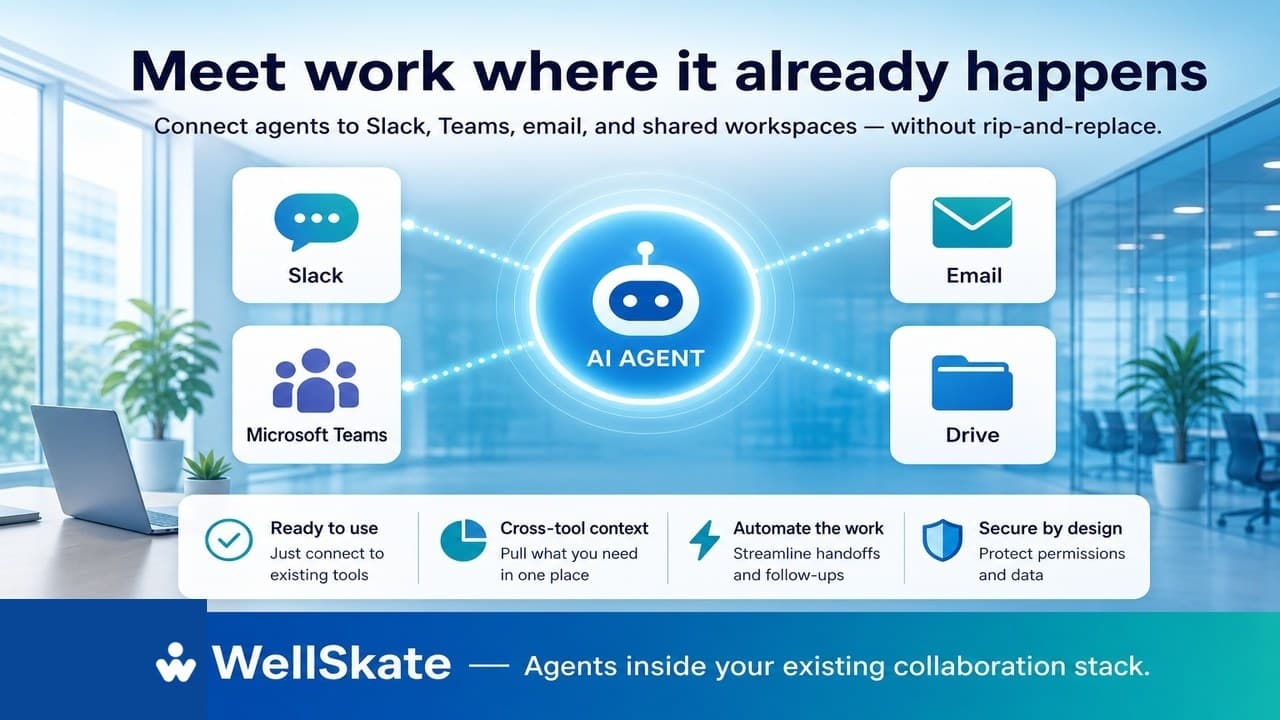
Most enterprise work does not start in an AI console. It starts in a Slack thread, a Teams channel, an email inbox, or a shared document someone opened five minutes ago.
That is why so many AI rollouts stall. The model is capable. The demo looks sharp. Then employees are asked to leave the tools they already live in, learn a new interface, and remember yet another place to “ask AI.” Adoption becomes a change-management project instead of a productivity gain.
The better path is simpler: connect agents to the collaboration stack you already have — and let them operate inside real work, not beside it.
Rip-and-replace is the wrong adoption model
Enterprises already paid for Slack or Teams. They already depend on email for customers, partners, and approvals. Knowledge already lives in Drive, SharePoint, Notion, and shared folders.
Asking people to abandon that stack for a separate AI workspace creates friction at every step:
- Context is copied out of the thread where the request began
- Decisions happen in chat, while the agent waits in another tab
- Follow-ups still depend on humans remembering to update systems
- Security and permissions have to be reinvented in a parallel environment
Rip-and-replace assumes the problem is the tools. Often the problem is disconnected work — people switching between chat, documents, tickets, and policy sources to finish one outcome.
Agents should reduce that switching. They should not add another destination.
What “meet work where it happens” means
An agent connected to existing tools is not a chatbot bolted onto Slack for novelty. It is a process participant that can:
- Receive a request in the channel or inbox where it already appears
- Use company knowledge with the right permissions
- Take or prepare actions across connected systems
- Notify the right people in the same collaboration space
- Escalate for approval when judgment or policy requires a human
In other words: the agent joins the workflow. The workflow does not relocate to the agent.
That distinction matters. Chatbots answer in place. Agentic Workflows continue the work in place — across tools, people, and steps — until the outcome is done or handed off cleanly.
Where agents fit in everyday collaboration
Slack and Microsoft Teams
Chat is where urgency, exceptions, and coordination already live. Agents are useful there when they can:
- Triage a request from a channel mention or workflow trigger
- Pull the relevant policy, ticket, or customer context
- Draft the next message, update, or checklist for the team
- Open or advance a process without forcing a context switch
- Post status back to the same thread so everyone stays aligned
The channel remains the source of truth for the conversation. The agent becomes the executor of the repeatable middle.
Email is still the default interface for many external and formal workflows: vendor requests, customer replies, approvals, onboarding packets, contract loops.
Agents help when they can:
- Classify and summarize inbound messages
- Draft replies grounded in company policy and prior context
- Route exceptions to the right owner
- Attach or retrieve the documents the thread needs
- Keep an audit trail of what was suggested, approved, and sent
The inbox does not need replacing. It needs less manual sorting, searching, and copy-paste.
Shared workspaces and documents
Much of enterprise knowledge is not in a CRM field. It is in living documents, folders, wikis, and meeting notes.
Agents create value when they can search and use that material with existing access controls, then carry insights into the next step — a reply, an approval packet, an onboarding checklist, or an updated record — without asking employees to re-collect the same files every time.
Connect, don’t clone
A useful integration strategy is narrow and intentional.
| Approach | What it looks like | Result |
|---|---|---|
| Rip-and-replace | New AI portal becomes the “official” place to work | Low adoption, shadow processes continue |
| Chatbot overlay | AI answers inside chat, then humans finish everything else | Faster answers, same operational load |
| Connected agents | Agents use chat, email, docs, and systems as one workflow surface | Less switching, more completed outcomes |
The goal is not to recreate Slack inside your AI platform. The goal is to let agents read context, respect permissions, take approved actions, and report back through the tools people already open every morning.
Design principles that keep adoption real
1. Start from a process, not a platform tour
Pick one painful loop that already spans collaboration tools — IT triage in Teams, customer follow-up from email, onboarding updates in Slack, policy checks before an approval. Build the agent around that outcome.
2. Preserve human checkpoints where they already exist
Approvals, exceptions, and customer-facing sends should stay visible. Agents should make the path to decision shorter, not hide the decision.
3. Inherit permissions instead of bypassing them
If someone cannot see a document or record, the agent acting for them should not either. Governance has to travel with the integration, or security teams will block the rollout.
4. Write status back to the original thread
When the agent finishes a step, the team should see it where the work started. Silent progress in a separate dashboard recreates the fragmentation you were trying to remove.
5. Measure completed work, not message volume
“Agent replied 400 times” is a weak KPI. Better signals: cycle time, handoffs avoided, rework reduced, policy errors caught, requests closed without chasing.
A practical rollout path
- Map the current path — where the request arrives, which tools are touched, who approves, what “done” means.
- Connect only the systems that path needs — chat or email plus knowledge plus one system of record is enough for a first win.
- Define the agent’s job in outcome language — “route and prepare the approval packet,” not “be helpful in Slack.”
- Keep the collaboration surface familiar — mentions, threads, inboxes, shared docs.
- Add auditability early — who triggered the agent, what it accessed, what it proposed, what a human approved.
- Expand after one workflow is trusted — new channels and departments become easier once the pattern is proven.
You do not need to integrate everything on day one. You need one connected path that proves agents can finish work inside the tools people already trust.
How WellSkate AI approaches this
WellSkate AI is built for teams that want custom AI agents and Agentic Workflows without standing up a parallel operating system for AI.
The platform is designed so business teams can:
- Ground agents in company knowledge, documents, and process context
- Connect everyday workspaces and collaboration tools instead of forcing rip-and-replace
- Automate multi-step work with permissions, policies, and human oversight
- Reduce dependence on dedicated AI engineers for every workflow change
That matches how enterprises actually operate. Knowledge is scattered. Approvals are social. Work begins in chat and email. The winning AI layer is the one that joins that reality — securely — and helps people complete the outcome.
If your AI only works when employees leave Slack, Teams, or their inbox, it is still a side project. When agents can operate inside those surfaces, AI becomes operating capacity.
Want agents that meet your team where work already happens? Explore WellSkate AI at wellskate.ai or contact contact@wellskate.ai.