
The Creative Brief-to-Approval Workflow Map for AI-Assisted Teams
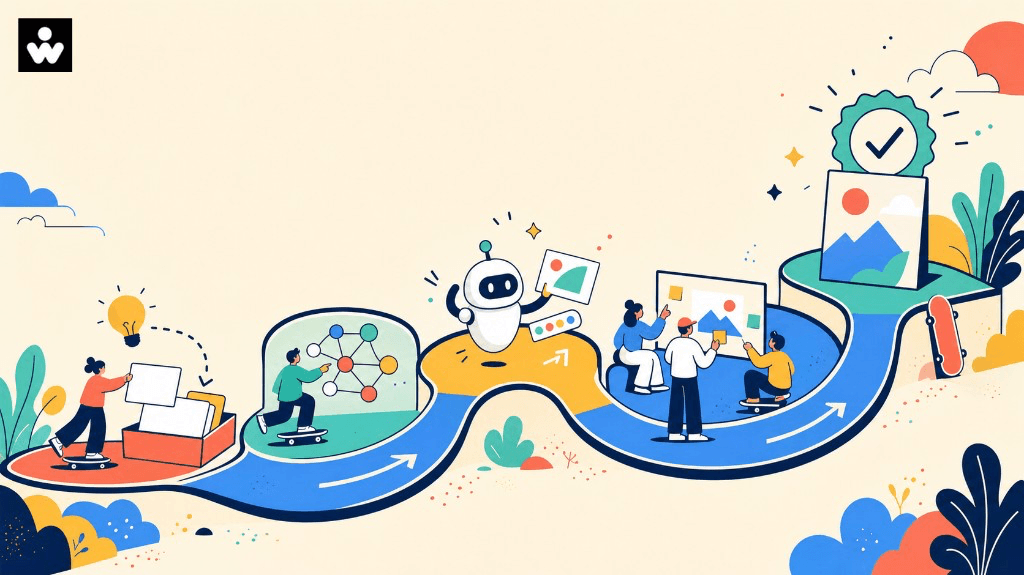
AI can help creative teams move from a blank page to a strong first draft faster. But speed at the beginning of the process does not remove the need for alignment at the end. Without a clear approval path, AI-assisted work can create duplicated feedback, unclear ownership, late-stage rewrites, and uncertainty about who is accountable for the final decision.
An AI creative approval workflow gives every stakeholder a shared route from idea to approved asset. It connects the creative brief, AI-assisted production, human review, brand checks, risk checks, stakeholder feedback, and final sign-off in one practical map.
The goal is not to add bureaucracy. The goal is to make the right decisions visible at the right moments.
Key takeaway
- A useful AI creative approval workflow answers what is being made, who owns the final decision, and where human judgment is required.
- Keep creative review and risk review as separate gates so each one answers a defined question.
- Approval should be a specific, recorded state — approved for a named channel or use, by a named approver, on a recorded date.
What an AI creative approval workflow should accomplish
A useful workflow should help your team answer five questions:
- What are we making, and why?
- Who owns the brief and the final decision?
- Where can AI assist, and where is human judgment required?
- Which checks must happen before stakeholder approval?
- What exactly does “approved” mean for this asset?
If the workflow cannot answer these questions, teams often treat every review as an open-ended discussion. A structured map turns review into a sequence of decisions.
The creative brief-to-approval workflow map
1. Define the brief
   ↓
2. Confirm audience, objective, message, constraints, and success criteria
   ↓
3. Assign owners and reviewers
   ↓
4. Use AI for exploration, outlines, variants, or first drafts
   ↓
5. Conduct creative and strategic review
   ↓
6. Run brand, accessibility, factual, legal, and policy checks as needed
   ↓
7. Consolidate feedback into one decision log
   ↓
8. Revise and prepare the approval version
   ↓
9. Obtain accountable owner sign-off
   ↓
10. Publish, deliver, or hand off with an audit trail
Each stage has a different job. Keeping those jobs separate makes feedback easier to interpret and reduces the risk of approving an asset before it is ready.
Stage 1: Define the creative brief
The brief is the control point for the entire workflow. Before anyone asks an AI tool to draft copy, create concepts, or adapt an asset, capture the context that the work must satisfy.
Include:
- Business objective
- Target audience
- Primary user problem or need
- Core message
- Offer or next step
- Required claims and supporting evidence
- Tone and brand considerations
- Deliverables and channels
- Dimensions, word counts, or technical specifications
- Must-use and must-avoid elements
- Reviewers and final approver
- Deadline and launch dependencies
A strong brief gives both people and tools a clear boundary. It also makes later feedback more specific: reviewers can assess the work against agreed requirements instead of personal preference alone.
Stage 2: Confirm the decision criteria
Before production begins, convert the brief into a short checklist. This is especially important when multiple teams are involved.
For example:
- Does the asset address the audience's stated problem?
- Is the main message understandable without extra explanation?
- Is the call to action appropriate for the audience's stage?
- Are all required claims supported and current?
- Does the concept fit the visual and verbal brand system?
- Can the asset be adapted for the intended channel?
- Are accessibility and localization needs accounted for?
These criteria become the review lens for the rest of the project.
Stage 3: Assign roles before using AI
AI-assisted work still needs accountable people. Define roles before production starts so reviewers are not added only after a problem appears.
A lightweight responsibility model might include:
| Role | Responsibility |
|---|---|
| Brief owner | Defines the problem, audience, objective, and constraints |
| Creative owner | Guides the concept, quality, and execution |
| AI operator | Uses approved tools and records material inputs where required |
| Subject-matter reviewer | Checks accuracy, nuance, and usefulness |
| Brand reviewer | Checks voice, visual identity, and consistency |
| Risk reviewer | Checks legal, privacy, policy, accessibility, or reputational concerns |
| Final approver | Makes the accountable go/no-go decision |
One person may hold several roles on a small team. That is fine as long as the responsibilities are explicit.
Stage 4: Use AI where it creates leverage
AI can support many parts of the creative process, including:
- Exploring multiple angles from one brief
- Turning notes into an initial outline
- Producing headline or subject-line options
- Adapting approved messaging for different formats
- Summarizing feedback themes
- Identifying missing information in a draft
- Creating structured variations for testing or review
The important distinction is between assistance and approval. AI can help generate options and surface patterns; the team still decides whether the work is accurate, appropriate, on-brand, and ready for its intended audience.
Record enough context to make the work reviewable. Depending on your organization, that may include the tool used, source material, major prompts, model-generated claims, and the person responsible for checking the output.
Stage 5: Separate creative review from risk review
Creative review and risk review answer different questions.
Creative review asks:
- Is the idea clear and distinctive?
- Does the asset solve the communication problem?
- Is the structure easy to follow?
- Does the tone fit the audience and channel?
Risk review asks:
- Are claims accurate and supportable?
- Does the asset contain confidential or personal information?
- Are permissions, licenses, or usage rights understood?
- Does the asset meet applicable policy and accessibility requirements?
- Could the wording create avoidable confusion or reputational risk?
Combining every question into one large review often makes both reviews weaker. Use separate gates when the asset, audience, or organization requires them.
Stage 6: Consolidate feedback into one decision log
Multiple reviewers should not send disconnected streams of edits to the creator. Assign one person to consolidate feedback into a decision log with four fields:
| Feedback | Decision | Owner | Status |
|---|---|---|---|
| What needs attention? | Accept, reject, defer, or clarify | Who resolves it? | Open or closed |
This keeps the team focused on decisions rather than comment volume. It also creates a useful record when stakeholders disagree or when a later revision reopens a previously resolved issue.
Stage 7: Define what “approved” means
Approval should be a specific state, not a vague expression of enthusiasm. Use a short approval statement such as:
Approved for [channel/use] by [name or role] on [date], subject to [any stated conditions].
If approval is conditional, record the conditions. For example, an asset may be approved for internal use but not external publication until a claim is verified or a rights question is resolved.
A copyable workflow template
Use this template with your content and creative stakeholders:
# AI Creative Approval Workflow

## 1. Brief
- Asset/project:
- Business objective:
- Audience:
- Core message:
- Call to action:
- Channel(s):
- Required claims/evidence:
- Must-use elements:
- Must-avoid elements:
- Deadline:

## 2. Owners
- Brief owner:
- Creative owner:
- AI operator:
- Subject-matter reviewer:
- Brand reviewer:
- Risk reviewer:
- Final approver:

## 3. AI assistance
- Tool(s) used:
- Purpose of AI assistance:
- Source material provided:
- Important outputs or claims to verify:
- Human review completed by:

## 4. Review gates
- [ ] Brief confirmed
- [ ] Creative/strategic review complete
- [ ] Factual or subject-matter review complete
- [ ] Brand review complete
- [ ] Accessibility review complete, if applicable
- [ ] Legal/policy/privacy review complete, if applicable
- [ ] Feedback consolidated
- [ ] Final version prepared

## 5. Decision log
| Feedback | Decision | Owner | Status |
|---|---|---|---|
|  |  |  |  |
|  |  |  |  |

## 6. Final decision
- Approval status: Approved / Approved with conditions / Revise / Rejected
- Approved for:
- Conditions:
- Final approver:
- Date:
- Link or location of final asset:
Common workflow mistakes to avoid
Treating the AI output as the deliverable
A generated draft is a working input. It still needs to be checked against the brief, the audience, and the organization's standards.
Inviting every stakeholder into every review
More reviewers do not automatically create better work. Invite people when their expertise is needed, and give each review a defined question.
Waiting until the end to involve risk owners
Late risk review can force avoidable rewrites. Identify the required checks during briefing, even if the actual review happens later.
Approving a direction without approving the final version
A concept approval is not the same as final asset approval. Label the decision clearly so teams know what may move forward.
Keeping feedback in private messages
If the decision is important enough to affect the asset, it belongs in the shared record. A visible decision log reduces repeated questions and makes handoffs safer.
How to run the workflow with your team
Start with one recurring content type, such as a campaign email, product page, or social asset. Map the current process from brief to publication. Mark every point where work changes hands, feedback is added, or approval becomes unclear.
Then compare the current process with the template above:
- Remove review steps that do not produce a decision.
- Add owners to steps that currently have shared responsibility.
- Identify which AI-assisted activities need documentation.
- Separate creative, factual, brand, and risk checks where useful.
- Define the exact approval state required before publishing.
- Run the template with your content and creative stakeholders.
A workflow is working when people can quickly see what is being decided, who decides it, and what remains open.
For related reading, see how marketing teams can ship creative from one workspace and why human-in-the-loop design is how enterprise AI actually ships.
Final takeaway
AI-assisted creative work becomes easier to manage when the team treats approval as a designed workflow rather than a final reaction. Start with a precise brief, assign accountable roles, use AI for leverage, review the work through the right gates, consolidate feedback, and record the final decision.
The result is not simply a faster production process. It is a clearer one — better suited to teams that need creativity, consistency, and responsible human judgment to work together.
Run the template with your content and creative stakeholders. To see how WellSkate AI keeps creative work, review, and approval in one governed workspace, explore wellskate.ai or contact contact@wellskate.ai.